...
- Get https://www.mirrorservice.org/sites/releases.ubuntu.com/24.04.2/ubuntu-24.04.2-live-server-amd64.iso
- Choose HWE kernel (during install)
- Compile and install https://github.com/intel/gmmlib.git
- Compile and install https://github.com/intel/libva
- Compile and install https://github.com/intel/libva-utils
- Compile and install https://github.com/intel/media-driver.git
- package Compile and install https://gitlab.freedesktop.org/drm/igt-gpu-tools/ (or package intel-gpu-tools can try to use from distribution distribution )
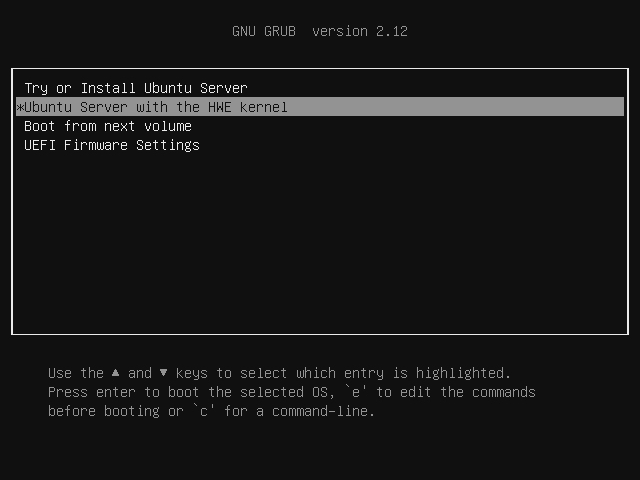
With HWE we got Kernel 6.11.0-21
...
| Code Block |
|---|
git clone https://github.com/intel/gmmlib.git cd gmmlib/ mkdir build cd build cmake ../ make -j 4 make install cd ../.. git clone https://github.com/intel/libva.git cd libva ./autogen.sh --prefix=/usr --libdir=/usr/lib/x86_64-linux-gnu make make install cd .. git clone https://github.com/intel/libva-utils.git cd libva-utils ./autogen.sh --prefix=/usr --libdir=/usr/lib/x86_64-linux-gnu make make install cd .. git clone https://github.com/intel/media-driver.git cd media-driver/ mkdir build cd build cmake ../ make -j 4 make install cd ../.. # Intel_gpu_tools compilation is optional apt install -y peg bison flex libcairo2-dev libudev-dev libprocess-cpp-dev libunwind-dev valgrind libpixman-1-dev libdw-dev libproc2-dev libkmod-dev cd igt-gpu-tools git clone https://gitlab.freedesktop.org/drm/igt-gpu-tools meson build && ninja -C build ./meson.sh install cd .. |
and now check with vainfo
...
| Code Block |
|---|
# intel GPU tools
# apt install -y intel-gpu-tools

# disk tools
apt install -y smartmontools nvme-cli mmc-utils

apt install -y lm-sensors btop cpufrequtils

# To be able to change Power Limits fro command line
apt install -y devmem2 msr-tools
wget https://raw.githubusercontent.com/horshack-dpreview/setPL/master/setPL.sh
chmod +x /root/setPL.sh |
...