...
| Code Block |
|---|
wget https://github.com/openvinotoolkit/model_server/releases/download/v2025.1/ovms_ubuntu24_python_on.tar.gz
tar -xzvf ovms_ubuntu24_python_on.tar.gz
export LD_LIBRARY_PATH=${PWD}/ovms/lib
export PATH=$PATH:${PWD}/ovms/bin
curl --create-dirs -k https://storage.openvinotoolkit.org/repositories/open_model_zoo/2022.1/models_bin/2/resnet50-binary-0001/FP32-INT1/resnet50-binary-0001.xml -o models/resnet50/1/model.xml
curl --create-dirs -k https://storage.openvinotoolkit.org/repositories/open_model_zoo/2022.1/models_bin/2/resnet50-binary-0001/FP32-INT1/resnet50-binary-0001.bin -o models/resnet50/1/model.bin
chmod -R 755 models
export PYTHONPATH=${PWD}/ovms/lib/python
sudo apt -y install libpython3.12
pip3 install "Jinja2==3.1.6" "MarkupSafe==3.0.2"
ovms --port 9000 --model_name resnet --model_path models/resnet50 |
ollama on Intel GPU
ollama + WebUI on Intel Arc
ollama
| Code Block |
|---|
sudo apt update sudo apt upgrade sudo add-apt-repository ppa:deadsnakes/ppa sudo apt install python3.11 -y sudo apt install python3.11-venv -y python3.11 -V python3.11 -m venv llm_env source llm_env/bin/activate pip install --pre --upgrade ipex-llm[cpp] mkdir llama-cpp cd llama-cpp # Run Ollama Serve with Intel GPU export OLLAMA_NUM_GPU=128=999 export OLLAMA_THREADS=22 export OMP_NUM_THREADS=22 export ZES_ENABLE_SYSMAN=1 export no_proxy=localhost,127.0.0.1 export ZES_ENABLE_SYSMAN=1 source /opt/intel/oneapi/setvars.sh export SYCL_CACHE_PERSISTENT=1 # localhost access # OLLAMA_HOST=0.0.0.0 ./ollama serve # for non-localhost access OLLAMA_HOST=0.0.0.0 ./ollama serve |
...
list models
| Code Block |
|---|
(base) root@server1:~/llama-cpp# ./ollama list NAME ID SIZE MODIFIED phi3:14b cf611a26b048 7.9 GB 3 minutes ago llama3.3:70b a6eb4748fd29 42 GB 16 minutes ago mistral-small3.1:24b b9aaf0c2586a 15 GB 23 minutes ago llama4:scout 4f01ed6b6e01 67 GB 56 minutes ago openchat:7b 537a4e03b649 4.1 GB About an hour ago qwen3:32b e1c9f234c6eb 20 GB 2 hours ago gemma3:27b a418f5838eaf 17 GB 2 hours ago deepseek-r1:70b 0c1615a8ca32 42 GB 3 hours ago |
pull model
| Code Block |
|---|
(base) root@server1:~/llama-cpp# ./ollama list NAME ID SIZE MODIFIED qwen3:32b e1c9f234c6eb 20 GB 28 minutes ago gemma3:27b a418f5838eaf 17 GB 37 minutes ago deepseek-r1:70b 0c1615a8ca32 42 GB About an hour ago (base) root@server1:~/llama-cpp# ./ollama pull openchat:7b pulling manifest pulling 1cecc26325a1... 100% ▕████████████████████████████████████████████████████████████████████████████████ ▏ 4.1 GB/4.1 GB 102 MB/s 0s pulling 43070e2d4e53... 100% ▕████████████████████████████████████████████████████████████████████████████████▏ 11 KB pulling d68706c17530... 100% ▕████████████████████████████████████████████████████████████████████████████████▏ 98 B pulling 415f0f6b43dd... 100% ▕████████████████████████████████████████████████████████████████████████████████▏ 65 B pulling 278996753456... 100% ▕████████████████████████████████████████████████████████████████████████████████▏ 483 B verifying sha256 digest writing manifest success |
Web-UI
| Code Block |
|---|
source llm_env/bin/activate #pip install open-webui==0.2.5 pip install open-webui # 0.6.10 open-webui serve |
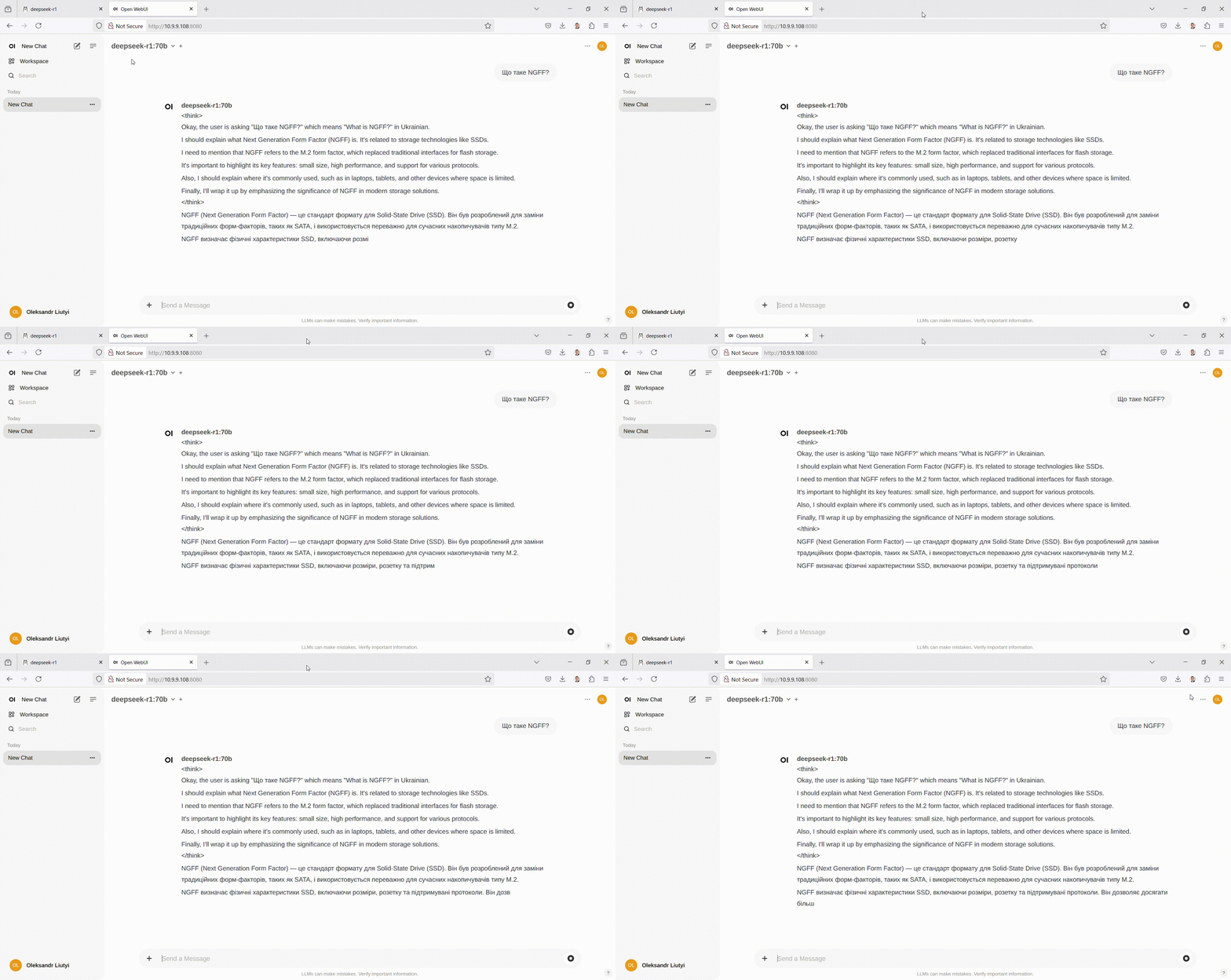
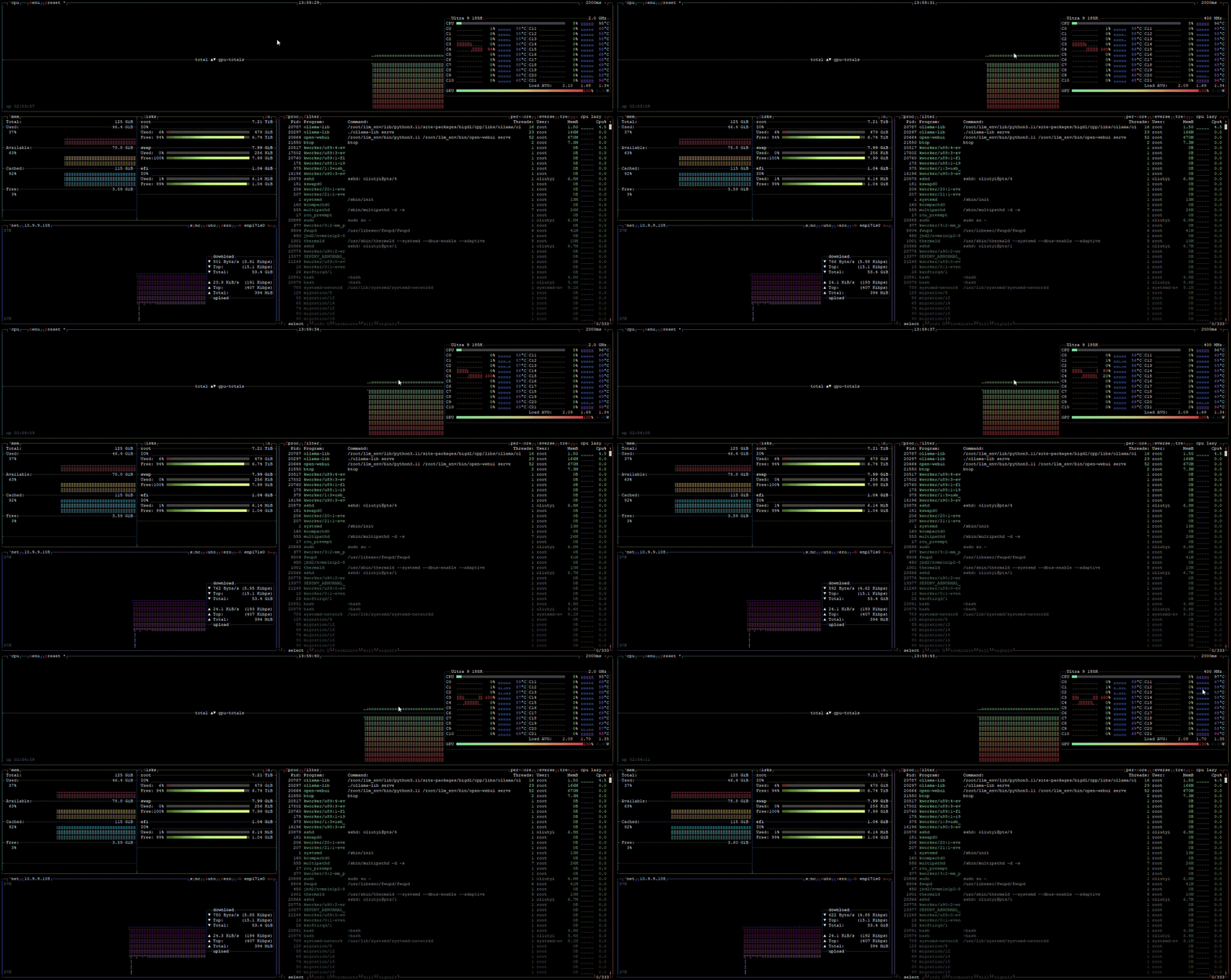
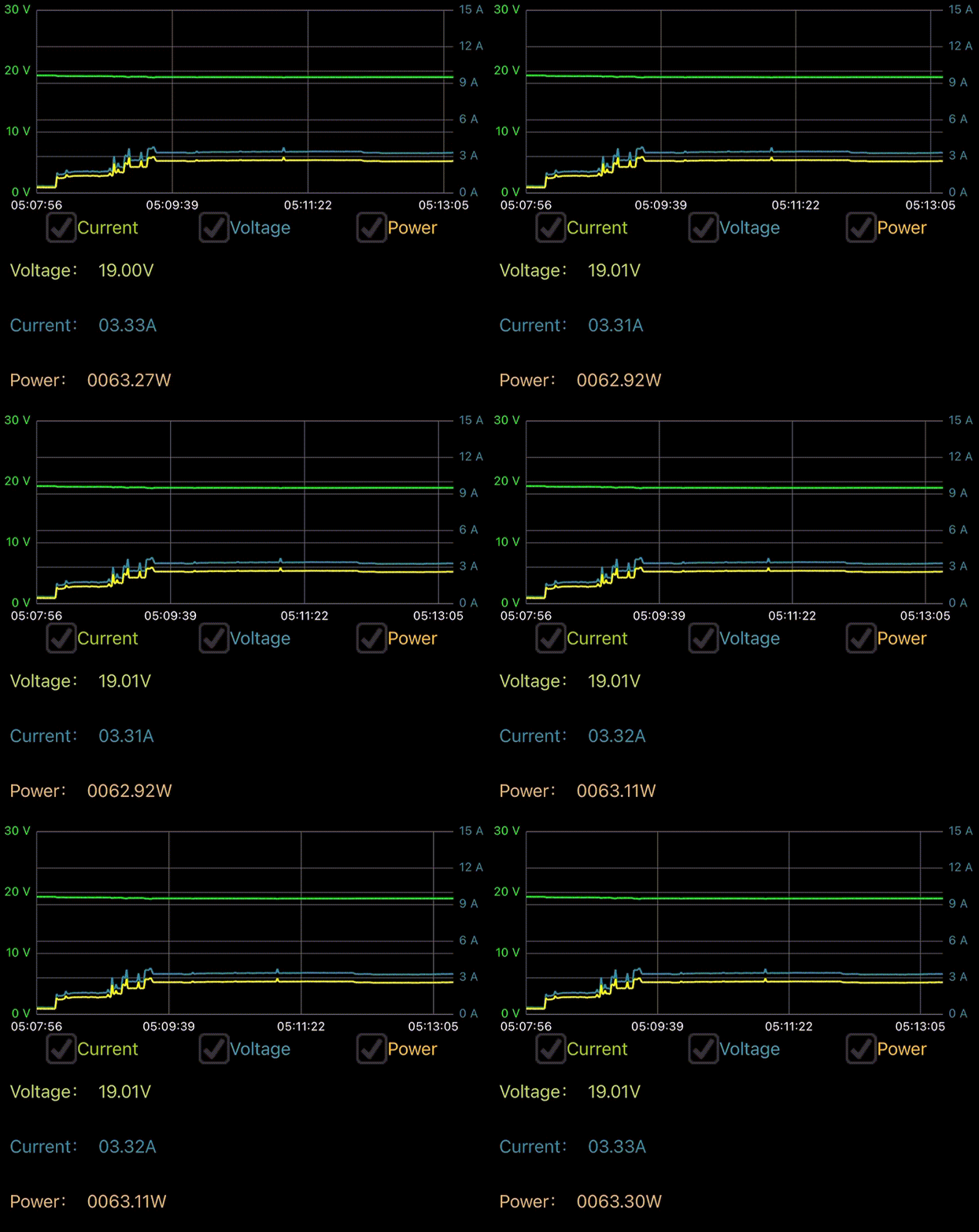
GPU backend models performance
Benchmark LLM
| Code Block |
|---|
git clone https://github.com/tabletuser-blogspot/ollama-benchmark
cd ollama-benchmark/
chmod +x obench.sh
time ./obench.sh |
Intel iGPU backend models performance
| Model | sec to load the model | layers to GPU | prompt eval rate | eval rate | compared to CPU | |||||||||||||||||||||||||||||||||||||||||||||
|---|---|---|---|---|---|---|---|---|---|---|---|---|---|---|---|---|---|---|---|---|---|---|---|---|---|---|---|---|---|---|---|---|---|---|---|---|---|---|---|---|---|---|---|---|---|---|---|---|---|---|
deepseek-r1:70b | 54.25 (2.5x slower) | 81/81 | 0.89 tokens/s | 1.62 tokens/s | -2.5x/+1.3x | |||||||||||||||||||||||||||||||||||||||||||||
llama3.3:70b | 53.34 (2.5x slower) | 81/81 | 1.52 tokens/s | 1.44 tokens/s | -1.5x/+1.2x | |||||||||||||||||||||||||||||||||||||||||||||
qwen3:32b | 28.04 (2.8x slower) | 65/65 | 3.76 tokens/s | 2.93 tokens/s | -1.5x/+1.1x | |||||||||||||||||||||||||||||||||||||||||||||
phi3:14b | 19.09 (5.4x slower) | 41/41 | 10.48 tokens/s | 7.70 tokens/s | -1.4x/+1.9x | |||||||||||||||||||||||||||||||||||||||||||||
deepseek-v2:16b | 14.56 (3.6x slower) | 28/28 | 4.96 tokens/s | 11.26 tokens/s | -11.8x/-2.2x | |||||||||||||||||||||||||||||||||||||||||||||
openchat:7b | 6.53 (2.6x slower) | 33/33 | 29.24 tokens/s | 16.35 tokens/s | 1x/+1.5x | |||||||||||||||||||||||||||||||||||||||||||||
llama4:scout | Model | sec to load the model | layers to GPU | prompt eval rate | eval rate | deepseek-r1:70b | 54.25 (2.5x slower) | 81/81 | 0.89 tokens/s | 1.62 tokens/s | llama3.3:70b | 53.34 (2.5x slower) | 81/81 | 1.52 tokens/s | 1.44 tokens/s | qwen3:32b | 28.04 (2.8x slower) | 65/65 | 3.76 tokens/s | 2.93 tokens/s | phi3:14b | 19.09 (5.4x slower) | 41/41 | 10.48 tokens/s | 7.70 tokens/s | deepseek-v2:16b | 14.56 (3.6x slower) | 28/28 | 4.96 tokens/s | 11.26 tokens/s | openchat:7b | 6.53 (2.6x slower) | 33/33 | 29.24 tokens/s | 16.35 tokens/s | llama4:scout | N/A | N/A | N/A | N/A | gemma3:27b | N/A | N/A | N/A | N/A | mistral-small3.1:24b | N/A | N/A | N/A | N/A |
CPU vs GPU
...
deepseek-r1:70b
...
llama3.3:70b
...
qwen3:32b
...
gemma3:27b
...
1.76
...
mistral-small3.1:24b
...
3.26
...
llama4:scout
...
13.55
...
deepseek-v2:16b
...
4.02
...
phi3:14b
...
openchat:7b
...
gemma3:27b | N/A | N/A | N/A | N/A | |
mistral-small3.1:24b | N/A | N/A | N/A | N/A |
ollama CPU
install ollama
| Code Block |
|---|
curl -fsSL https://ollama.com/install.sh | sh |
| Code Block |
|---|
>>> Installing ollama to /usr/local
>>> Downloading Linux amd64 bundle
######################################################################## 100.0%
>>> Creating ollama user...
>>> Adding ollama user to render group...
>>> Adding ollama user to video group...
>>> Adding current user to ollama group...
>>> Creating ollama systemd service...
>>> Enabling and starting ollama service...
Created symlink /etc/systemd/system/default.target.wants/ollama.service → /etc/systemd/system/ollama.service.
>>> The Ollama API is now available at 127.0.0.1:11434.
>>> Install complete. Run "ollama" from the command line.
WARNING: No NVIDIA/AMD GPU detected. Ollama will run in CPU-only mode. |
pull image
| Code Block |
|---|
ollama pull mistral-small3.1:24b |
if model already downloaded in Intel GPU version
| Code Block |
|---|
rm -Rf /usr/share/ollama/.ollama/models/
mv /root/.ollama/models/ /usr/share/ollama/.ollama/models/
ln -s /usr/share/ollama/.ollama/models/ /root/.ollama/models
ollama list |
| Code Block |
|---|
(base) root@server1:~# ollama list
NAME                    ID              SIZE      MODIFIED
phi3:14b                cf611a26b048    7.9 GB    23 minutes ago
llama3.3:70b            a6eb4748fd29    42 GB     36 minutes ago
mistral-small3.1:24b    b9aaf0c2586a    15 GB     43 minutes ago
llama4:scout            4f01ed6b6e01    67 GB     About an hour ago
openchat:7b             537a4e03b649    4.1 GB    2 hours ago
qwen3:32b |
ollama CPU
install
| Code Block |
|---|
curl -fsSL https://ollama.com/install.sh | sh |
| Code Block |
|---|
>>> Installing ollama to /usr/local
>>> Downloading Linux amd64 bundle
######################################################################## 100.0%
>>> Creating ollama user...
>>> Adding ollama user to render group...
>>> Adding ollama user to video group...
>>> Adding current user to ollama group...
>>> Creating ollama systemd service...
>>> Enabling and starting ollama service...
Created symlink /etc/systemd/system/default.target.wants/ollama.service → /etc/systemd/system/ollama.service.
>>> The Ollama API is now available at 127.0.0.1:11434.
>>> Install complete. Run "ollama" from the command line.
WARNING: No NVIDIA/AMD GPU detected. Ollama will run in CPU-only mode. |
pull image
| Code Block |
|---|
ollama pull mistral-small3.1:24b |
if model already downloaded in Intel GPU version
| Code Block |
|---|
rm -Rf /usr/share/ollama/.ollama/models/
mv /root/.ollama/models/ /usr/share/ollama/.ollama/models/
ln -s /usr/share/ollama/.ollama/models/ /root/.ollama/models
ollama list |
| Code Block |
|---|
(base) root@server1:~# ollama list NAME ID SIZE MODIFIED phi3:14b cf611a26b048 7.9 GB 23 minutes ago llama3.3:70b a6eb4748fd29 42 GB 36 minutes ago mistral-small3.1:24b b9aaf0c2586a 15 GB 43 minutes ago llama4:scout 4f01ed6b6e01e1c9f234c6eb 6720 GB About3 an hourhours ago openchatgemma3:7b27b 537a4e03b649a418f5838eaf 4.117 GB 23 hours ago qwen3deepseek-r1:32b70b 0c1615a8ca32 e1c9f234c6eb 20 42 GB 34 hours ago gemma3:27b a418f5838eaf 17 GB 3 hours ago deepseek-r1:70b 0c1615a8ca32 42 GB 4 hours ago |
| Code Block |
|---|
(base) root@server1:~# ollama --version
ollama version is 0.7.0 |
|
| Code Block |
|---|
(base) root@server1:~# ollama --version
ollama version is 0.7.0 |
| Model | started in (seconds) | param | SIZE | prompt eval rate | eval rate | ||||
|---|---|---|---|---|---|---|---|---|---|
deepseek-r1:70b | 21.34 | 70B | 42 GB | 2.20 tokens/s | 1.24 tokens/s | ||||
llama3.3 | |||||||||
| Model | started in (seconds) | param | SIZE | prompt eval rate | eval rate | ||||
deepseek-r1:70b | 21.34 | 70B | 42 GB | 2.20 39 tokens/s | 1.24 23 tokens/s | ||||
llama3.3qwen3:70b32b | 2110.3404 | 70B32B | 42 20 GB | 25.39 63 tokens/s | 12.23 54 tokens/s | Qwen3 32B | 10.04 | 32B | 20 GB |
gemma3:27b | 1.76 | 27B | 17 GB | 6.66 5.63 tokens/s | 23.54 03 tokens/s | ||||
phi3:14bmistral-small3.1:24b | 3. 5226 | 14B24B | 7.9 15 GB | 157.12 72 tokens/s | 63.05 60 tokens/s | ||||
openchat7b | 2.51 | 7B | 4.1 GB | 30.37 tokens/s | 11.19 tokens/s | ||||
llama4:scout | 13.55 | 17B | 67 GB | 11.47 tokens/s | 4.76 tokens/s | ||||
gemma3deepseek-v2:27b16b | 14.7602 | 27B16B | 17 8.9 GB | 658.66 75 tokens/s | 324.03 50 tokens/s | ||||
mistral-small3.1:24bphi3:14b | 3.2652 | 24B14B | 15 GB | 7.72 tokens/s | 3.60 tokens/s |
llama.cpp
https://github.com/ggml-org/llama.cpp
build with CPU backend
| Code Block |
|---|
apt install -y libcurl-ocaml-dev
git clone https://github.com/ggml-org/llama.cpp
cd llama.cpp
cmake -B build
cmake --build build --config Release
cd build
make install
ldconfig |
Intel oneMKL
tbd
use
| 7.9 GB | 15.12 tokens/s | 6.05 tokens/s | |||
openchat:7b | 2.51 | 7B | 4.1 GB | 30.37 tokens/s | 11.19 tokens/s |
llama.cpp
https://github.com/ggml-org/llama.cpp
build with CPU backend
| Code Block |
|---|
apt install -y libcurl-ocaml-dev
git clone https://github.com/ggml-org/llama.cpp
cd llama.cpp
cmake -B build
cmake --build build --config Release
cd build
make install
ldconfig |
Intel oneMKL
tbd
use
| Code Block |
|---|
llama-cli -m model.gguf
llama-server -m model.gguf --port 8080
llama-bench -m model.gguf
llama-run |
Batch benchmark script
| Code Block |
|---|
#!/bin/bash
# Benchmark using ollama gives rate of tokens per second
# idea taken from https://taoofmac.com/space/blog/2024/01/20/1800
# other colors
#Black          0;30    Dark Gray       1;30
#Red            0;31    Light Red       1;31
#Green          0;32    Light Green   1;32
#Brown/Orange 0;33      Yellow          1;33
#Blue           0;34    Light Blue      1;34
#Purple         0;35    Light Purple  1;35
#Cyan           0;36    Light Cyan      1;36
#Light Gray   0;37      White           1;37
#ANSI option
#RED='\033[0;31m'
#NC='\033[0m' # No Color
#echo -e "${red}Hello Stackoverflow${NC}"
#set -e used for troubleshooting
set -e
#colors available
borange='\e[0;33m'
yellow='\e[1;33m'
purple='\e[0;35m'
green='\e[0;32m'
red='\e[0;31m'
blue='\e[0;34m'
NC='\e[0m' # No Color
cpu_def=$(cat /sys/devices/system/cpu/cpu0/cpufreq/scaling_governor)
echo "Setting cpu governor to"
sudo echo performance | sudo tee /sys/devices/system/cpu/cpu*/cpufreq/scaling_governor
gpu_avail=$(sudo lshw -C display | grep product: | head -1 | cut -c17-)
cpugover=$(cat /sys/devices/system/cpu/cpu0/cpufreq/scaling_governor)
cpu_used=$(lscpu | grep 'Model name' | cut -f 2 -d ":" | awk '{$1=$1}1')
echo ""
echo "Simple benchmark using ollama and"
echo "whatever local Model is installed."
echo "Does not identify if $gpu_avail is benchmarking"
echo ""
benchmark=3
echo "How many times to run the benchmark?"
echo  $benchmark
echo ""
for model in `ollama ls |awk '{print $1}'|grep -v NAME`; do
 echo -e "Total runs "${purple}$benchmark${NC}
 echo ""
 #echo "Current models available locally"
 #echo ""
 #ollama list
 #echo ""
 #echo "Example enter tinyllama or dolphin-phi"
 echo ""
 echo $model
 ollama show $model --system
 echo ""
 echo -e "Will use model: "${green}$model${NC}
 echo ""
 echo -e Will benchmark the tokens per second for ${cpu_used} and or ${gpu_avail}
 touch "${cpu_used}".txt
 echo "" > "${cpu_used}".txt
 echo ""
 echo -e Running benchmark ${purple}$benchmark${NC} times for ${cpu_used} and or ${gpu_avail}
 echo -e with ${borange}$cpugover${NC} setting for cpu governor
 echo ""
 for run in $(seq 1 $benchmark); do
  echo "Why is the blue sky blue?" | ollama run $model --verbose 2>&1 >/dev/null | grep "eval rate:" | tee -a "${cpu_used}".txt ;
  avg=$(cat "${cpu_used}".txt | grep -v "prompt eval rate:" | awk '{print $3}' | awk 'NR>1{ tot+=$1 } END{ print tot/(NR-1) }')
 done
 echo ""
 echo -e ${red}$avg${NC} is the average ${blue}tokens per second${NC} using ${green}$model${NC} model
 echo for $cpu_used and or $gpu_avail
done
echo
echo -e using ${borange}$cpugover${NC} for cpu governor.
echo ""
echo "Setting cpu governor to"
sudo echo $cpu_def | sudo tee /sys/devices/system/cpu/cpu*/cpufreq/scaling_governor
#comment this out if you are repeating the same model
#this clears model from Vram
sudo systemctl stop ollama; sudo systemctl start ollama
#EOF
|
Output
| Code Block |
|---|
(base) root@server1:~/ollama-benchmark# ./batch-obench.sh
Setting cpu governor to
performance

Simple benchmark using ollama and
whatever local Model is installed.
Does not identify if Meteor Lake-P [Intel Arc Graphics] is benchmarking

How many times to run the benchmark?
3

Total runs 3


deepseek-v2:16b

Will use model: deepseek-v2:16b

Will benchmark the tokens per second for Intel(R) Core(TM) Ultra 9 185H Intel(R) Core(TM) Ultra 9 185H To Be Filled By O.E.M. CPU @ 4.4GHz and or Meteor Lake-P [Intel Arc Graphics]

Running benchmark 3 times for Intel(R) Core(TM) Ultra 9 185H Intel(R) Core(TM) Ultra 9 185H To Be Filled By O.E.M. CPU @ 4.4GHz and or Meteor Lake-P [Intel Arc Graphics]
with performance setting for cpu governor

prompt eval rate:     56.10 tokens/s
eval rate:            25.88 tokens/s
prompt eval rate:     365.68 tokens/s
eval rate:            24.62 tokens/s
prompt eval rate:     377.67 tokens/s
eval rate:            24.64 tokens/s

...
|
| Code Block |
llama-cli -m model.gguf
llama-server -m model.gguf --port 8080
llama-bench -m model.gguf
llama-run |