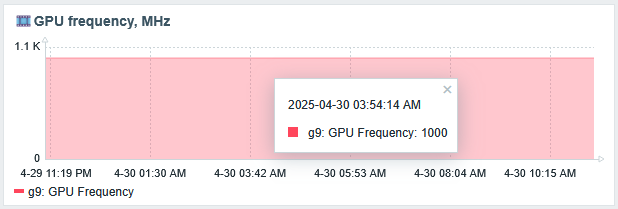
Yes it is not looks perfect on a graph, but
Intel N150 Ubuntu 25.10 Zabbix 7.2.2 zabbix_agent2 example
script
vi /etc/zabbix/scripts/get_gpu-freq.sh chmod +x /etc/zabbix/scripts/get_gpu-freq.sh |
#!/bin/bash sudo /usr/local/bin/intel_gpu_frequency --get |grep 'cur:'|cut -d' ' -f2 |
test script
root@server5:~# /etc/zabbix/scripts/get_gpu-freq.sh 1000 |
config
vi /etc/zabbix/zabbix_agent2.d/plugins.d/gpu-mhz.conf |
### Zabbix Agent2 config to monitor GPU Frequency UserParameter=gpu.freq[*],/etc/zabbix/scripts/get_gpu-freq.sh |
test config
root@server5:~# zabbix_agent2 -t 'gpu.freq[]' gpu.freq[] [s|1000] |
allow to run from zabbix user
echo 'zabbix ALL=(ALL:ALL) NOPASSWD: /usr/local/bin/intel_gpu_frequency*' >>/etc/sudoers.d/zabbix |
root@server5:~# cat /etc/sudoers.d/zabbix zabbix ALL=(ALL:ALL) NOPASSWD: /usr/sbin/smartctl* zabbix ALL=(ALL:ALL) NOPASSWD: /usr/local/bin/intel_gpu_frequency* |
reload zabbix agent
systemctl restart zabbix-agent2.service |
ad items to Zabbix server
Zabbix → Monitoring → Hosts → (the host) Items in dropdown menu. → Create Item →
| GPU Frequency | gpu.freq[] |