Ubuntu 24.04 zabbix 7 server setup with docer compose
Remove zabbix
docker compose -f zabbix.yml down
docker system prune --all -f
rm -Rf /docker/zabbix-db /docker/zabbix-server /docker/zabbix-web
Install zabbix
vi zabbix.yml
services:
  # Zabbix database
  zabbix-db:
    container_name: zabbix-db
    image: mariadb:11.3.2
    restart: always
    volumes:
      - /docker/zabbix-db/mariadb:/var/lib/mysql:rw
      - /docker/zabbix-db/backups:/backups
    command:
      - mariadbd
      - --character-set-server=utf8mb4
      - --collation-server=utf8mb4_bin
      - --default-authentication-plugin=mysql_native_password
    environment:
      - MARIADB_USER=zabbix
      - MARIADB_PASSWORDzabbix_pass
      - MARIADB_ROOT_PASSWORD=root_pass
    stop_grace_period: 1m

  # Zabbix server
  zabbix-server:
    container_name: zabbix-server
    image: zabbix/zabbix-server-mysql:7.0-ubuntu-latest
    restart: always
    ports:
      - 10051:10051
    volumes:
      - /etc/localtime:/etc/localtime:ro
      - /docker/zabbix-server/alertscripts:/usr/lib/zabbix/alertscripts:ro
      - /docker/zabbix-server/externalscripts:/usr/lib/zabbix/externalscripts:ro
      - /docker/zabbix-server/dbscripts:/var/lib/zabbix/dbscripts:ro
      - /docker/zabbix-server/export:/var/lib/zabbix/export:rw
      - /docker/zabbix-server/modules:/var/lib/zabbix/modules:ro
      - /docker/zabbix-server/enc:/var/lib/zabbix/enc:ro
      - /docker/zabbix-server/ssh_keys:/var/lib/zabbix/ssh_keys:ro
      - /docker/zabbix-server/mibs:/var/lib/zabbix/mibs:ro
    environment:
      - MYSQL_USER=zabbix
      - MYSQL_PASSWORD=zabbix_pass
      - MYSQL_ROOT_USER=root
      - MYSQL_ROOT_PASSWORD=root_pass
      - DB_SERVER_HOST=zabbix-db
      - ZBX_STARTPINGERS=10
    depends_on:
      - zabbix-db
    stop_grace_period: 30s
    sysctls:
      - net.ipv4.ip_local_port_range=1024 65000
      - net.ipv4.conf.all.accept_redirects=0
      - net.ipv4.conf.all.secure_redirects=0
      - net.ipv4.conf.all.send_redirects=0

  # Zabbix web UI
  zabbix-web:
    container_name: zabbix-web
    image: zabbix/zabbix-web-nginx-mysql:7.0-ubuntu-latest
    restart: always
    ports:
      - 80:8080
    volumes:
      - /etc/localtime:/etc/localtime:ro
      - /docker/zabbix-web/nginx:/etc/ssl/nginx:ro
      - /docker/zabbix-web/modules/:/usr/share/zabbix/modules/:ro
    environment:
      - MYSQL_USER=zabbix
      - MYSQL_PASSWORD=zabbix_pass
      - DB_SERVER_HOST=zabbix-db
      - ZBX_SERVER_HOST=zabbix.example.com
      - ZBX_SERVER_NAME=zabbix.example.com
      - PHP_TZ=Europe/Kyiv
    depends_on:
      - zabbix-db
      - zabbix-server
    stop_grace_period: 10s
mkdir /docker/zabbix-db /docker/zabbix-server /docker/zabbix-web
docker compose -f zabbix.yml up -d
docker logs zabbix-server --follow
docker inspect   -f '{{range.NetworkSettings.Networks}}{{.IPAddress}}{{end}}' zabbix-server
setup client
for Ubuntu 24.04 (25.10 is also work with those packages) also 26.04 beta ok with this packages
#wget https://repo.zabbix.com/zabbix/7.0/ubuntu/pool/main/z/zabbix-release/zabbix-release_7.0-1+ubuntu24.04_all.deb
wget https://repo.zabbix.com/zabbix/7.4/release/ubuntu/pool/main/z/zabbix-release/zabbix-release_latest_7.4+ubuntu24.04_all.deb
#dpkg -i zabbix-release_7.0-1+ubuntu24.04_all.deb
dpkg -i zabbix-release_latest_7.4+ubuntu24.04_all.deb
apt update
apt install zabbix-agent2
#vi /etc/zabbix/zabbix_agent2.conf
systemctl status zabbix-agent2.service
vi /etc/zabbix/zabbix_agent2.conf
PidFile=/var/run/zabbix/zabbix_agent2.pid

LogFile=/var/log/zabbix/zabbix_agent2.log

LogFileSize=0

Server=zabbix.example.com.info,172.18.0.6/12

Hostname=somehost.example.com

Include=/etc/zabbix/zabbix_agent2.d/*.conf

PluginSocket=/run/zabbix/agent.plugin.sock

ControlSocket=/run/zabbix/agent.sock

Include=/etc/zabbix/zabbix_agent2.d/plugins.d/*.conf
Additional
Template for Synology monitoring
https://www.zabbix.com/integrations/synology
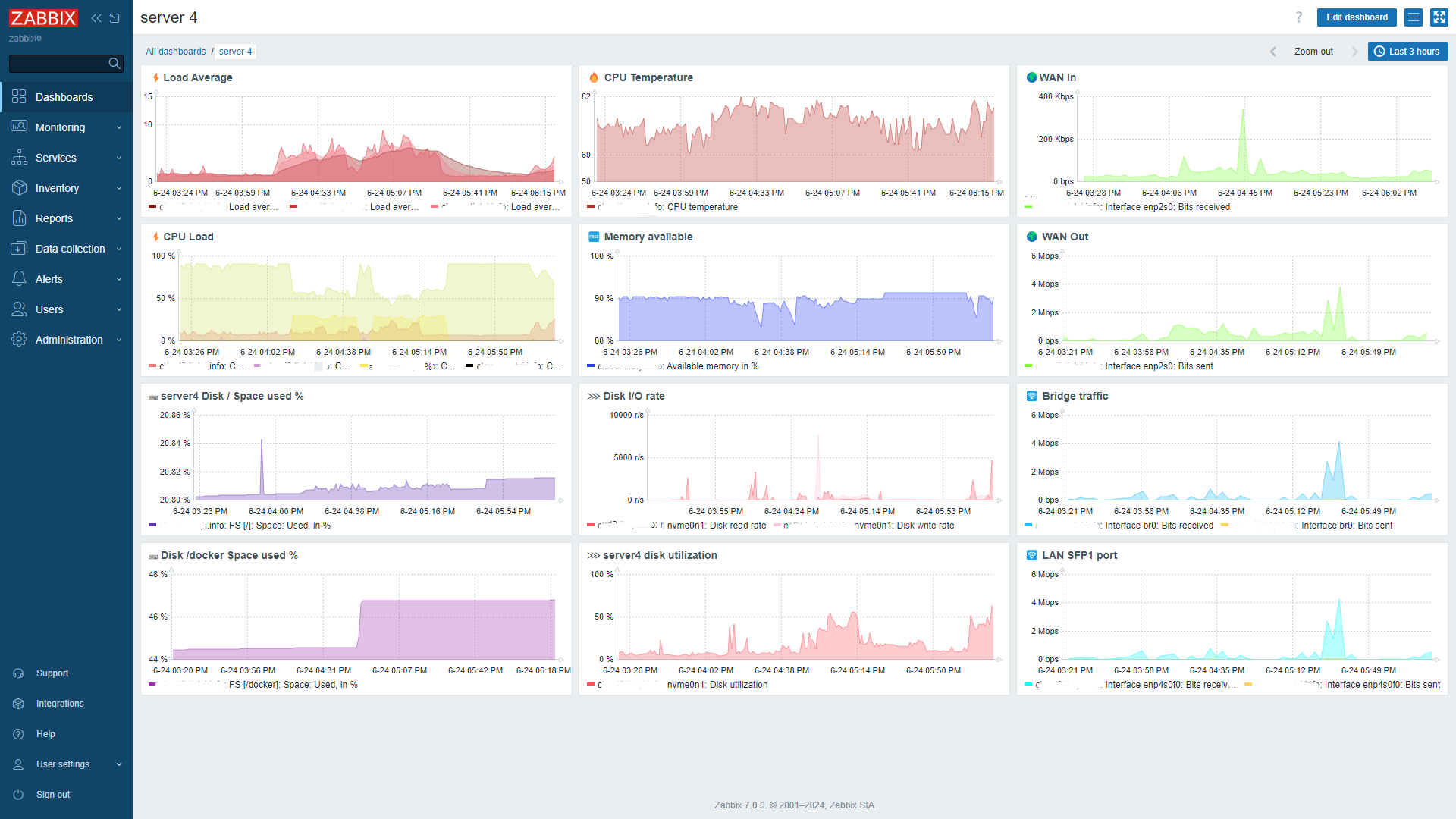
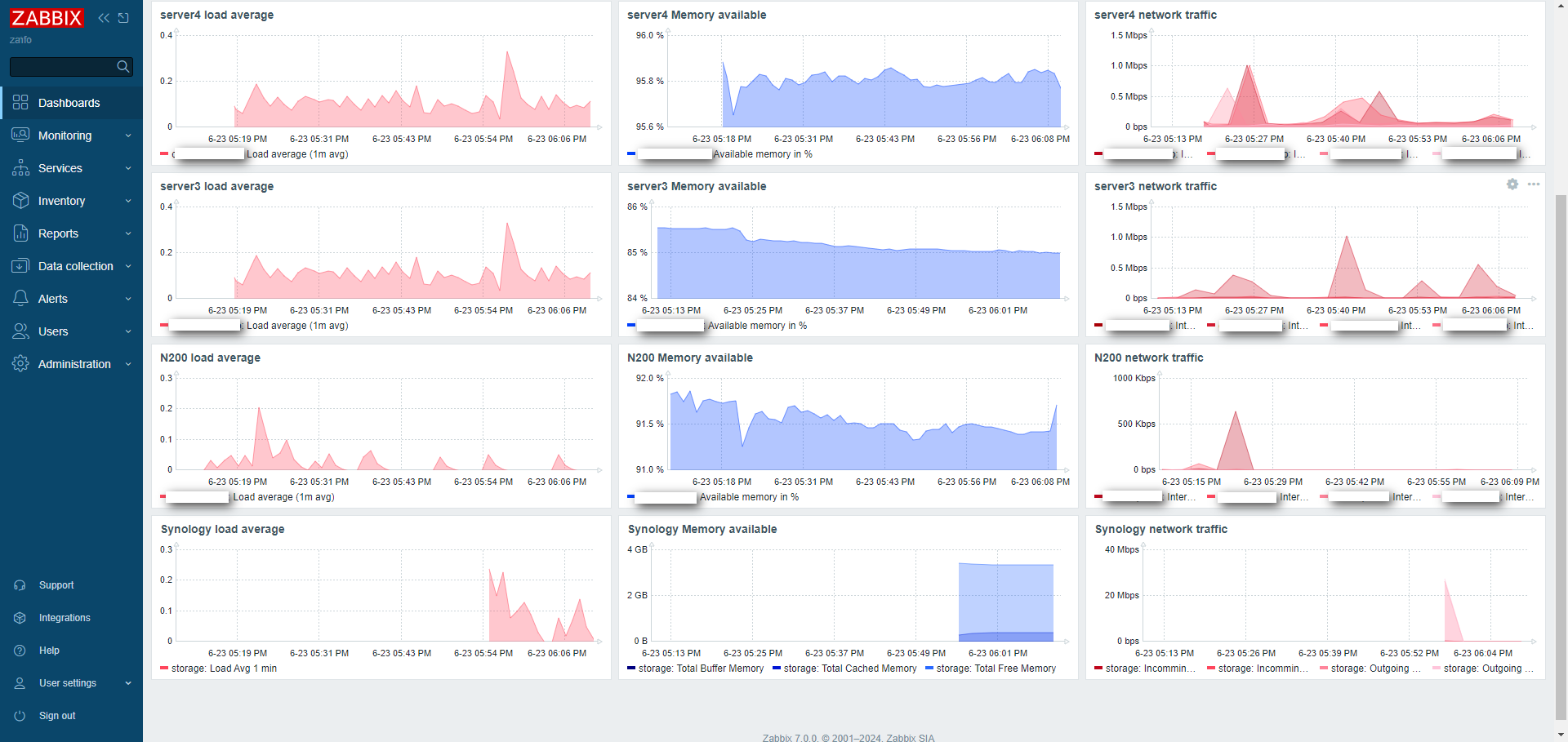
Example dasboard
CPU Temperature
root@server4:~# sensors
coretemp-isa-0000
Adapter: ISA adapter
Package id 0:  +81.0°C  (high = +100.0°C, crit = +100.0°C)
Core 0:        +77.0°C  (high = +100.0°C, crit = +100.0°C)
Core 4:        +78.0°C  (high = +100.0°C, crit = +100.0°C)
Core 8:        +81.0°C  (high = +100.0°C, crit = +100.0°C)
Core 9:        +80.0°C  (high = +100.0°C, crit = +100.0°C)
Core 10:       +80.0°C  (high = +100.0°C, crit = +100.0°C)
Core 11:       +80.0°C  (high = +100.0°C, crit = +100.0°C)
Core 12:       +79.0°C  (high = +100.0°C, crit = +100.0°C)
Core 13:       +79.0°C  (high = +100.0°C, crit = +100.0°C)
Core 14:       +79.0°C  (high = +100.0°C, crit = +100.0°C)
Core 15:       +79.0°C  (high = +100.0°C, crit = +100.0°C)

acpitz-acpi-0
Adapter: ACPI interface
temp1:        +27.8°C

nvme-pci-0100
Adapter: PCI adapter
Composite:    +38.9°C  (low  = -273.1°C, high = +89.8°C)
                       (crit = +94.8°C)
Sensor 1:     +38.9°C  (low  = -273.1°C, high = +65261.8°C)
Sensor 2:     +71.8°C  (low  = -273.1°C, high = +65261.8°C)
Item to add for monitoring
sensor[coretemp-isa-0000,temp1]
acpitz-acpi-0 and nvme-pci-0100 not work that way maybe not integer..
zabbix_get -s 192.186.0.1 -p 10050 -k sensor[coretemp-isa-0000,temp1]
70.000000
sensors -u
coretemp-isa-0000
Adapter: ISA adapter
Package id 0:
  temp1_input: 74.000
  temp1_max: 100.000
  temp1_crit: 100.000
  temp1_crit_alarm: 0.000
Core 0:
  temp2_input: 74.000
  temp2_max: 100.000
  temp2_crit: 100.000
  temp2_crit_alarm: 0.000
Core 4:
  temp6_input: 63.000
  temp6_max: 100.000
  temp6_crit: 100.000
  temp6_crit_alarm: 0.000
Core 8:
  temp10_input: 70.000
  temp10_max: 100.000
  temp10_crit: 100.000
  temp10_crit_alarm: 0.000
Core 9:
  temp11_input: 70.000
  temp11_max: 100.000
  temp11_crit: 100.000
  temp11_crit_alarm: 0.000
Core 10:
  temp12_input: 70.000
  temp12_max: 100.000
  temp12_crit: 100.000
  temp12_crit_alarm: 0.000
Core 11:
  temp13_input: 70.000
  temp13_max: 100.000
  temp13_crit: 100.000
  temp13_crit_alarm: 0.000
Core 12:
  temp14_input: 66.000
  temp14_max: 100.000
  temp14_crit: 100.000
  temp14_crit_alarm: 0.000
Core 13:
  temp15_input: 66.000
  temp15_max: 100.000
  temp15_crit: 100.000
  temp15_crit_alarm: 0.000
Core 14:
  temp16_input: 66.000
  temp16_max: 100.000
  temp16_crit: 100.000
  temp16_crit_alarm: 0.000
Core 15:
  temp17_input: 66.000
  temp17_max: 100.000
  temp17_crit: 100.000
  temp17_crit_alarm: 0.000

acpitz-acpi-0
Adapter: ACPI interface
temp1:
  temp1_input: 27.800

nvme-pci-0100
Adapter: PCI adapter
Composite:
  temp1_input: 49.850
  temp1_max: 89.850
  temp1_min: -273.150
  temp1_crit: 94.850
  temp1_alarm: 0.000
Sensor 1:
  temp2_input: 49.850
  temp2_max: 65261.850
  temp2_min: -273.150
Sensor 2:
  temp3_input: 77.850
  temp3_max: 65261.850
  temp3_min: -273.150
So results looks like