looks like Ubuntu 24.04 not good enough with Intel N150,maybe that is why GMKtec install 24.10 by default
- Get https://www.mirrorservice.org/sites/releases.ubuntu.com/24.04.2/ubuntu-24.04.2-live-server-amd64.iso
- Choose HWE kernel (during install)
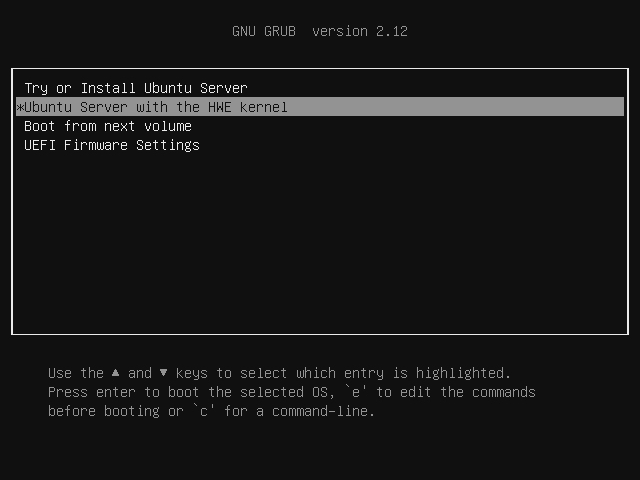
Wit HWE we got Kernel 6.11.0-21
Using username "gmk".
gmk@10.9.9.77's password:
Welcome to Ubuntu 24.04.2 LTS (GNU/Linux 6.11.0-21-generic x86_64)

 * Documentation:  https://help.ubuntu.com
 * Management:     https://landscape.canonical.com
 * Support:        https://ubuntu.com/pro

 System information as of Fri Apr  4 05:06:10 PM UTC 2025

  System load:  0.07              Temperature:             63.0 C
  Usage of /:   6.6% of 97.87GB   Processes:               160
  Memory usage: 3%                Users logged in:         1
  Swap usage:   0%                IPv4 address for enp6s0: 10.9.9.77


Expanded Security Maintenance for Applications is not enabled.

33 updates can be applied immediately.
To see these additional updates run: apt list --upgradable

Enable ESM Apps to receive additional future security updates.
See https://ubuntu.com/esm or run: sudo pro status


To run a command as administrator (user "root"), use "sudo <command>".
See "man sudo_root" for details.
apt install -y cmake pkg-config meson libdrm-dev automake libtool gcc git
it doesnot make vainfo work
gmk@g9:~$ vainfo
error: can't connect to X server!
libva info: VA-API version 1.20.0
libva info: Trying to open /usr/lib/x86_64-linux-gnu/dri/iHD_drv_video.so
libva info: Found init function __vaDriverInit_1_20
libva error: /usr/lib/x86_64-linux-gnu/dri/iHD_drv_video.so init failed
libva info: va_openDriver() returns 1
libva info: Trying to open /usr/lib/x86_64-linux-gnu/dri/i965_drv_video.so
libva info: Found init function __vaDriverInit_1_20
libva error: /usr/lib/x86_64-linux-gnu/dri/i965_drv_video.so init failed
libva info: va_openDriver() returns -1
vaInitialize failed with error code -1 (unknown libva error),exit

root@g9:~# ls -la /dev/dri
total 0
drwxr-xr-x   3 root root        100 Apr  4 17:04 .
drwxr-xr-x  22 root root       4840 Apr  4 17:04 ..
drwxr-xr-x   2 root root         80 Apr  4 17:04 by-path
crw-rw----+  1 root video  226,   1 Apr  4 17:04 card1
crw-rw----+  1 root render 226, 128 Apr  4 17:04 renderD128
so lets try build latest driver Intel video driver for Linux
cd ~
rm -Rf gmmlib/
git clone https://github.com/intel/gmmlib.git
cd gmmlib/
#git checkout -b intel-gmmlib-22.7.1
git checkout master
mkdir build && cd build
# cmake -DCMAKE_BUILD_TYPE=Release ..
cmake ../
make -j 4
make install


cd ~
git clone https://github.com/intel/libva.git
cd libva
#git checkout v2.22-branch
git checkout master
./autogen.sh --prefix=/usr --libdir=/usr/lib/x86_64-linux-gnu
make
make install

# vainfo, mpeg2vaenc, avcenc, h264encode, jpegenc, av1encode, hevcencode, vp9enc, vp8enc, decode, encode  is there
cd ~
git clone https://github.com/intel/libva-utils.git
cd libva-utils
./autogen.sh
make
make install


cd ~
rm -Rf media-driver/
git clone https://github.com/intel/media-driver.git
cd media-driver/
#git checkout -b intel-media-24.3.4
git checkout master
mkdir build
cd build
cmake ../
make -j 4
make install
additional packages
apt install lm-sensors btop cpufrequtils
wget https://raw.githubusercontent.com/horshack-dpreview/setPL/master/setPL.sh
chmod +x /root/setPL.sh
